 asked 1 day ago
Hello,
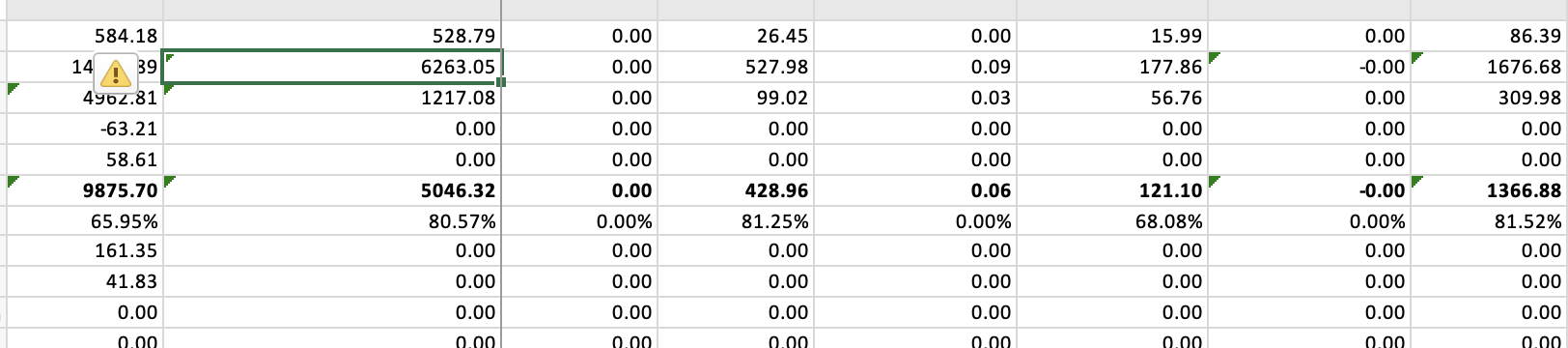
I noticed that some cells show up with 'Number is stored as text' error in excel. This is currently inconsistent and happening only for some of the cells exported in my report. I do use a customizeCellFunction for hard converting the numbers to a certain precision with this line of code but this applies to call currency value cells:
cell.text = Number(data.value).toFixed(precision);
Is there anything I can check for to understand how the types of these values are decided?
 ⋅ 6 hours ago
Hello, Amogh,
Thank you for reaching out to us.
For context, we reviewed your earlier thread, where the same precision requirement was discussed.
The “Number is stored as text” warning appears because toFixed() returns a string, and when a string is assigned to cell.text, Flexmonster exports it to Excel as text. As described in this answer from that thread, the trimmed value should be passed to cell.text as a number instead. In this case, the cell is exported as a truncated numeric value. One of the ways it can be done is by wrapping the result of toFixed() in parseFloat():
function customizeCellFunction(cell, data) {
if (data.type === "value" && Number.isFinite(data.value)) {
cell.text = parseFloat(Number(data.value).toFixed(precision));
}
}
We have prepared an example illustrating this approach: https://jsfiddle.net/flexmonster/sb816oz3/
Please let us know if this works for you.
Best regards,
Maksym

