 asked on April 3, 2026
Hello,
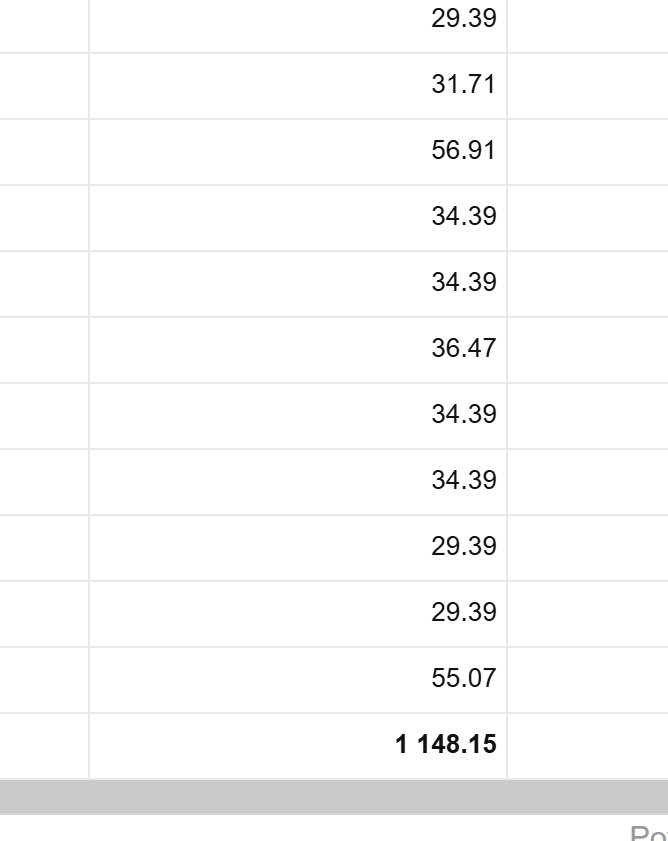
In the flat report, the numbers are not being formatted correctly with commas. I tried using type as number and also applying format to the column. Doesn't seem to work. Please let me know how to format it.
Thanks
Sri
 ⋅ April 3, 2026
Hello, Sri,
Thank you for reaching out.
To format numbers with commas as decimal separators in the flat report, you can use the decimalSeparator property of the format object and apply the appropriate format to the measure: https://jsfiddle.net/flexmonster/6g5n321d/
If, instead, you want to change the thousand separator, you can use the thousandSeparator property.
Note that if you are using customizeCell API call to modify the cell text, built-in formatting will not be applied, as customizeCell overrides the displayed value.
Please let us know if our answer helped.
Best regards,
Maksym
⋅ April 23, 2026
Hello, Sri,
Hope you are doing well.
We are wondering if you tried configuring number formatting with a decimal separator.
Please let us know if this approach worked for you.
Best regards,
Maksym
⋅ May 12, 2026
Hello, Sri,
Just checking in to ask if you configured decimal separators via number formatting.
We are looking forward to hearing your feedback.
Best regards,
Maksym

