 asked on April 10, 2026
Hello,
We would like to display a list of value in the cells of a dedicated column to let the user select a predifined value instead of entering a free text. Is it possible and how to achieve that ?
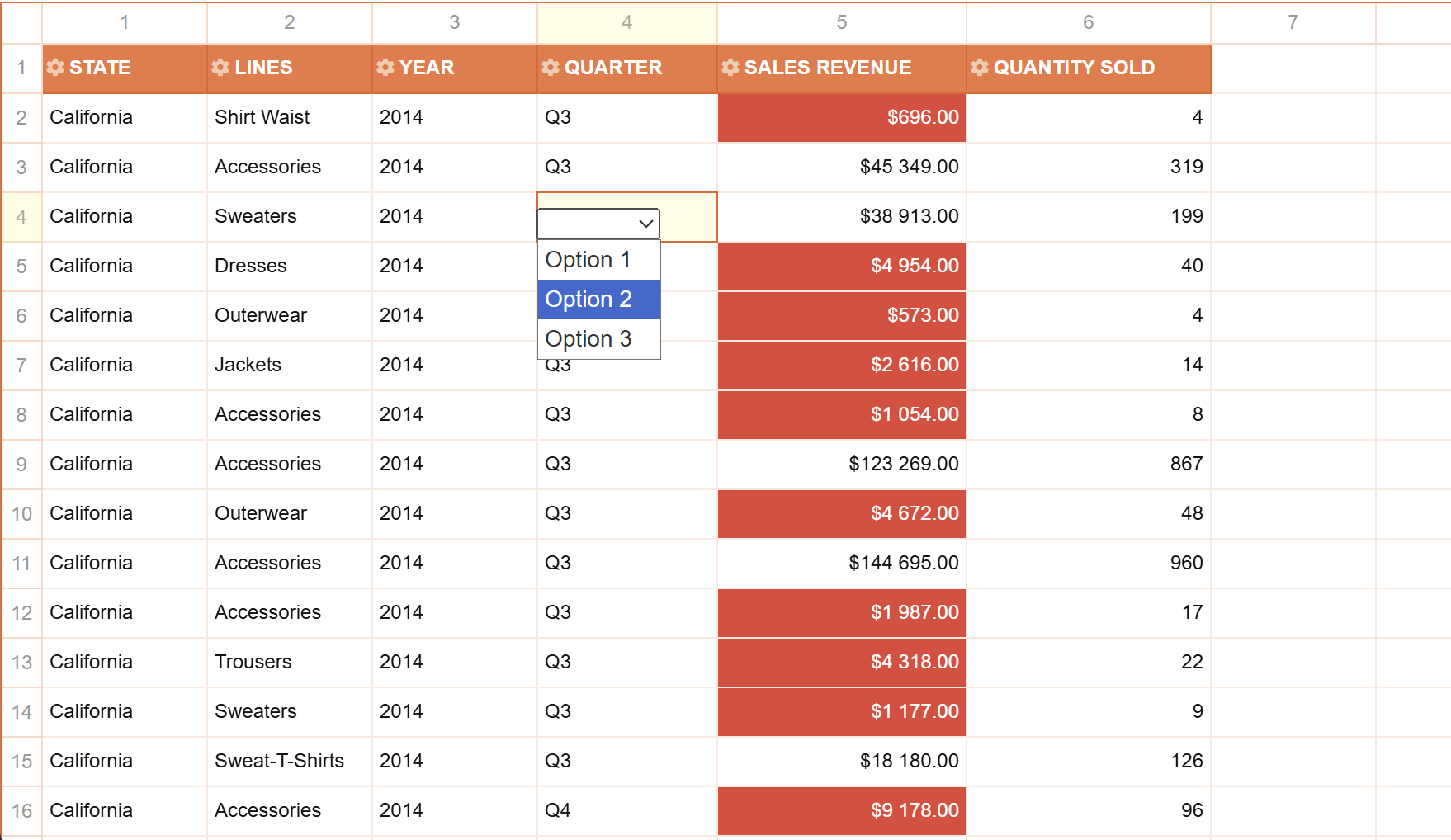
You can see in the below screenshot an example of the expected behavior :
 ⋅ April 14, 2026
Hello,
Thank you for reaching out to us.
Flexmonster does not provide built-in support for creating a dropdown input. However, it is possible to implement a workaround, using the editing option with mutation observer, to render a custom dropdown input when the user enters editing mode.
We have prepared an example illustrating this approach: https://jsfiddle.net/flexmonster/vz7n4am0/
By default, Flexmonster's editing creates an editable <textarea> when a user clicks on a cell and enters edit mode. By attaching a MutationObserver to the Flexmonster container, it is possible to monitor DOM changes, specifically tracking when the editing textarea is added or removed. When the textarea is detected as added, a custom dropdown is displayed and positioned directly below the cell, allowing the user to select a value from a predefined list. Necessary members can be retrieved from Flexmonster using the getMembers API call. Additionally, you can modify the original textarea to prevent input by typing.
Please let us know if the suggested approach works for you.
Best regards,
Maksym
⋅ April 14, 2026
Hello Maksym,
Thanks very much for this tips.
But there is a last request on this topic. Indeed, in my case, I would like only a specific column to be affected with the dropdown list (for instance, the coiumn 2 in your example), all other columns must be editable in the normal way (with a free textarea zone).
In the mutation observer, I don't know how to determine the column position (or retrieve the corresponding hierarchy uniqueName) of the node (to attach the dropdown or not).
Do you have an idea to solve that ?
Thanks in advance
⋅ April 15, 2026
Hello, Emmanuel,
Thank you for reaching out to us.
Flexmonster keeps track of the currently selected cell when editing is triggered. Hence, you can use the getSelectedCell method to retrieve the edited cell's CellDataObject. It includes the hierarchy's unique name, allowing you to effectively determine whether the dropdown should be displayed.
We have modified our example to show a dropdown for a single field while allowing to edit the others: https://jsfiddle.net/flexmonster/vz7n4am0/
Please let us know if our answer helped you.
Best regards,
Maksym
⋅ April 23, 2026
Hello, Emmanuel,
Hope you are doing well.
Please let us know if you tried the provided approach for showing dropdowns for editing cells of a particular column.
Looking forward to hearing from you.
Best regards,
Maksym

