


Flexmonster 3.0 Update: Filtering Without Limits
Step by step, we’re getting closer! Flexmonster Pivot 3.0 (preview 2) is out.
We are currently in the middle of developing Flexmonster 3.0, and our team has been carefully rethinking key parts of the product to make everyday workflows smoother, faster, and more intuitive. One of the areas that received the most attention this time is filtering, as the core feature for navigating complex datasets.
With the Flexmonster 3.0 (preview 2) update, you can explore the core filtering capabilities you’ve come to rely on in previous versions. We’ve refreshed the interface and enhanced overall usability - an update we hope you’ll truly enjoy. Features you can try right now on our demo:
- Fast Search to find & select any member
- Select/Deselect specific members
- Report Filters to slice data and show different subsets in a pivot table
- Seamless Filtering across both flat and pivot tables
However, the real breakthrough lies in the architecture: Flexmonster 3.0 is engineered for real-world, high-scale scenarios, handling massive datasets with ease.
So, does Flexmonster 3.0 handle Big Data filtering?
In most tools, filtering feels straightforward with small datasets. But as your data grows, the performance gap becomes impossible to ignore.
Take Microsoft Excel: filtering works well within its structural limits, but once you approach the row limit or work with millions of records, applying filters can start to slow down and feel laggy. And actually, you may not realize how much productivity is lost to even micro-delays until you experience a faster alternative.
Flexmonster 3.0 is built for these high-scale scenarios. Our filtering remains lightning-fast even with millions of records, keeping your interface responsive and interactive.
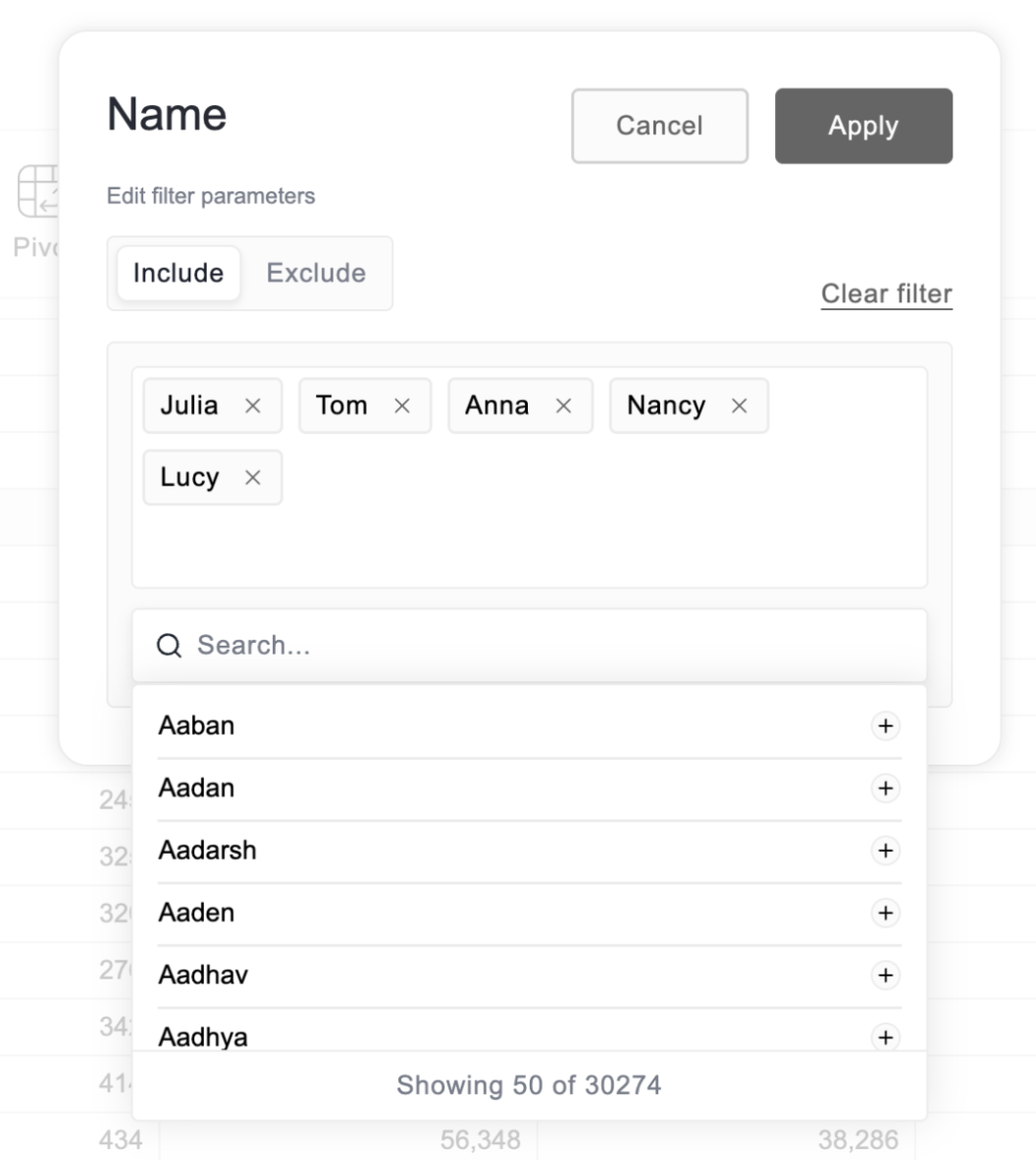
We’ve also optimized workflows for fields containing thousands of members. Rather than scrolling through an endless list, our updated filter control focuses on efficiency, showing exactly what you need through a lightweight search. This keeps your workflow clean, fast, and focused.
Our filter control also has Include and Exclude options. You can choose to show only the items you select, or hide certain items and keep all the others visible, whatever is easier for you.
Flexmonster 3.0 provides full programmatic control via an API alongside a built-in UI for end users. We’ve engineered both paths to be equally robust, so you can choose the workflow that best fits your application's architecture, and all is clearly explained in our docs.
One more interesting feature is placing filters on the page. You can place it anywhere you need. This lets you adjust filters and see changes instantly.
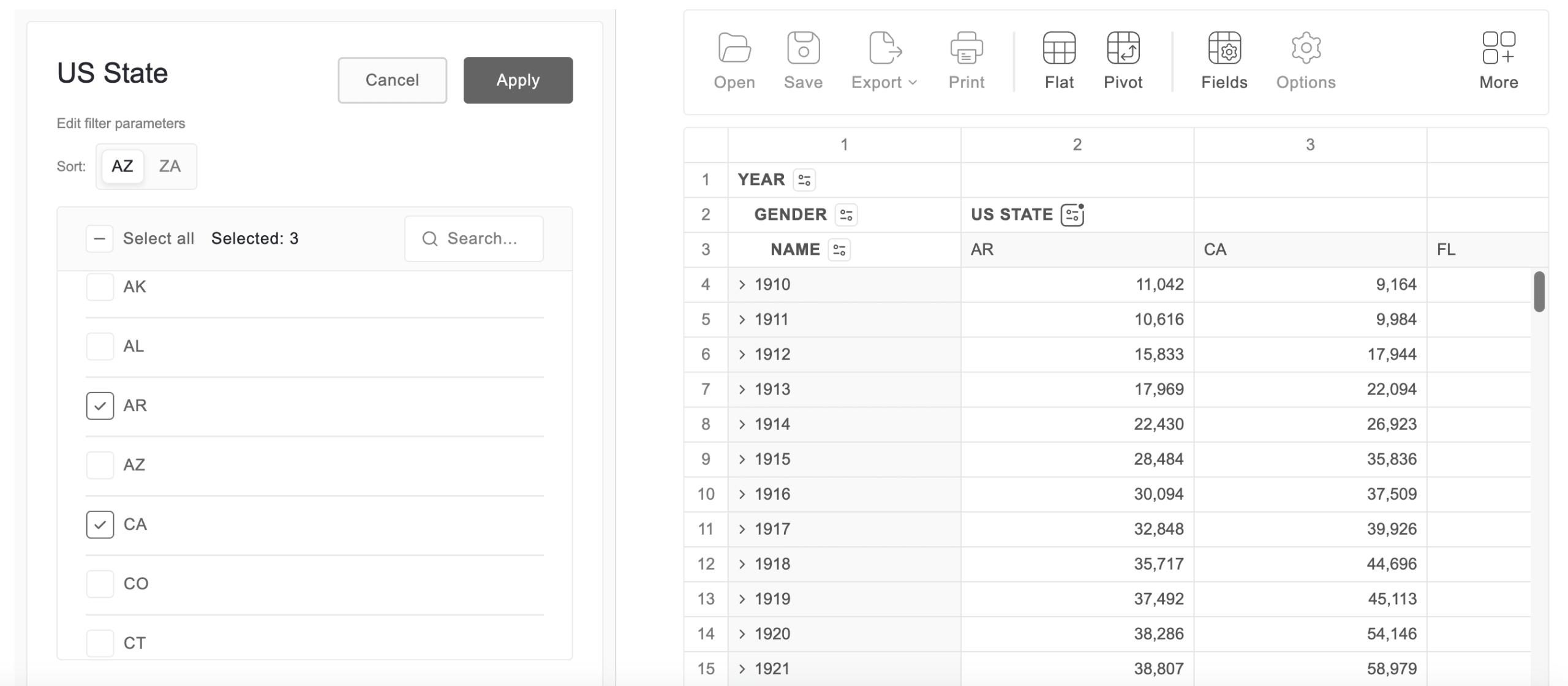
That’s a quick look at the new filtering features. If you’d like to explore them in more detail, the video below walks through everything step by step. You can also try the pre-release package with your own data and see how it works in practice, and of course, we’d be happy to hear your feedback.
And we’re not stopping here: we’re already actively working on conditional filters, and you’ll be able to try them very soon!