Flexmonster licensing explained: Single Corporate, SaaS, or OEM?
Flexmonster is licensed per project. One license covers one application, with no limits on developer seats and no extra charge for development, staging, or production environments. Your whole team can work on the project under a single license.
Which license you need depends on two questions:
- Is the application for your own company's internal use, or is it part of a product you sell?
- If you sell it, do you host it for your clients, or does each client get their own installation?
This guide walks you through both questions, explains how license keys and support work for each option, and covers the most common licensing scenarios we hear from customers.
Step 1: Internal use or commercial product?
Start with who will use the application. This one distinction narrows the choice to a single license or a pair of options.
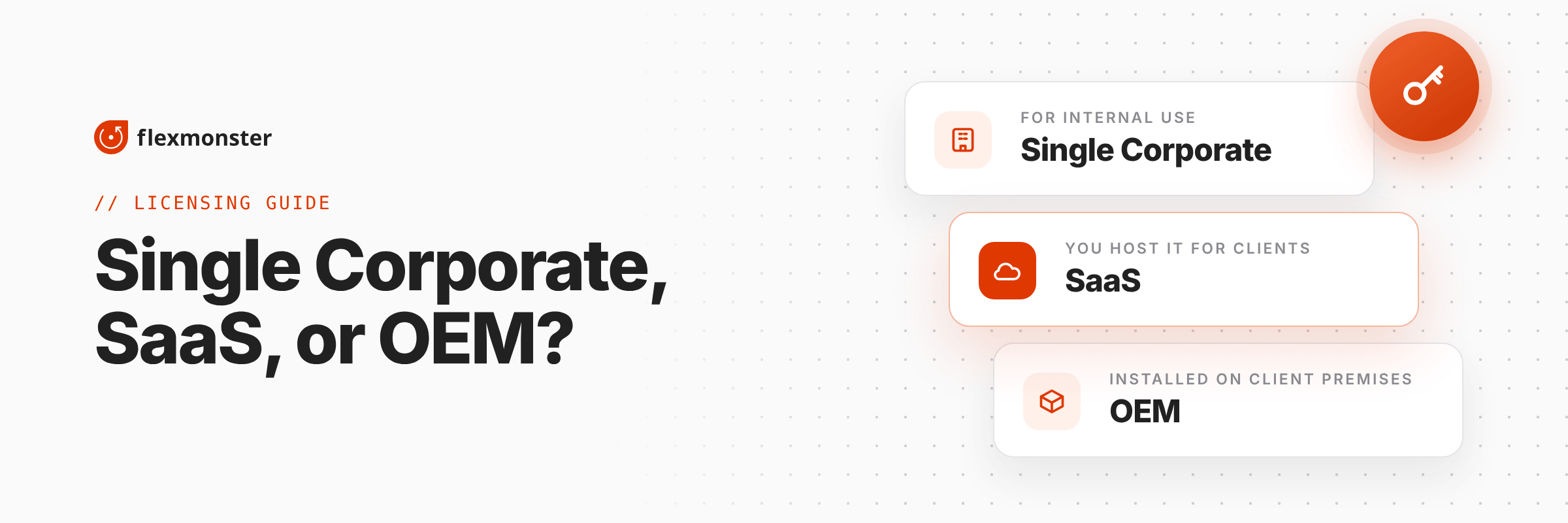
Internal use: Single Corporate License
Choose the Single Corporate License if Flexmonster runs in an application built for your own company and used by its employees. Typical examples are an internal reporting portal, a BI dashboard on your intranet, or an analytics module inside your corporate CRM.
The Single Corporate License comes in two options:
- Annual subscription: you renew each year to keep using Flexmonster, with support and updates included for the whole term.
- Perpetual license: a one-time purchase that doesn't expire, with the first year of support and updates included.
Commercial product: SaaS or OEM
If Flexmonster is part of a product you offer to other businesses, you need a SaaS or OEM license, depending on how your clients get the product. Both are annual subscriptions. Step 2 helps you choose between them.
Step 2: SaaS or OEM?
For use in a commercial product, the deciding question is where your product runs.
You host it for your clients: SaaS License
Choose the SaaS License if you run a multi-tenant platform: you host the application, and your clients sign in to use it. Typically, each client works on their own subdomain of your main domain. If some clients also need your product installed on their own premises, these installations are added to your SaaS License for an extra fee. See SaaS pricing.
While your SaaS product is still in development, you can use a free SaaS Entry license. You switch to a paid SaaS License when you're ready to launch.
You install it on your client's premises: OEM License
Choose the OEM License if you sell software that clients install and run in their own environments. OEM licenses come in bundles, with one license for each client installation.
Licenses at a glance
| Single Corporate License | SaaS License | OEM License | |
|---|---|---|---|
| Who uses the app | Your company's employees | Your clients, on your hosted platform | Your clients, in their own installations |
| Term | Annual or perpetual | Annual subscription | Annual subscription |
| Production keys | One key for your app’s production domain | One wildcard key for your production domain and client subdomains | One key for each client installation |
| Free option | 30-day trial | 30-day trial or SaaS Entry during development | 30-day trial |
| Starting price | From $799/year | From $2,499/year | From $1,499/year |
License keys
Once you've chosen a license, here's how keys work at each stage of your project:
- Development key: for building on localhost. You get it right after purchase.
- Staging/QA key: for testing on a real domain before you go live. Available on request. Not for production use.
- Production key: for your live application. What it covers depends on your license:
- Single Corporate License: one key for your app's production domain (e.g.,
reports.yourcompany.com). - SaaS: a wildcard key for your production domain and clients' subdomains (e.g.,
*.yourapp.com). - OEM: one key for each client installation in your bundle (e.g.,
analytics.clientcompany1.com).
- Single Corporate License: one key for your app's production domain (e.g.,
Staging/QA and production keys are issued for specific domains, so we'll ask for your domains when we issue them.
Support and updates
Every license includes technical support (bug fixes and help with integration) and all product updates.
Subscription licenses (SaaS, OEM, and Single Corporate on an annual plan). Support and updates are included for as long as your subscription is active. You renew each year to keep using Flexmonster.
Perpetual license (Single Corporate only). The license doesn't expire. The first year of support and updates is included. After that, you can renew maintenance to keep getting updates and technical assistance. If you don't renew, Flexmonster keeps working in your app on the last version released before maintenance expired.
Common scenarios
"We have two internal apps that both need Flexmonster." Flexmonster is licensed per project, so each application needs its own Single Corporate License.
"Our app runs on more than one production domain." Each domain needs its own production key. Contact our Sales team to confirm the setup for your case.
"Our team is growing. Do we need more licenses?" No. Licenses aren't per developer, so any number of developers can work on the same project.
"We're moving our product from on-premise installations to SaaS." You'll need a SaaS License for the hosted version. Contact us to plan the switch from OEM.
"We offer both a hosted version and on-premise installations." Flexmonster SaaS License covers the hosted platform. On-premise installations you deliver in addition to it are charged separately. See SaaS pricing for details.
"We're building a SaaS product but haven't launched yet." Start with the free SaaS Entry license during development, then move to a SaaS License when you go live.
Licensing FAQ
Do I need a license for each developer? No. One license covers one project, with unlimited developers.
Do I pay extra for development or staging environments? No. Development and staging/QA keys are included with every license.
Do I need to know my production domain when I buy? No, you can share them later. We need the domains to issue your production keys, so send them when you're ready to deploy.
Can I try Flexmonster before buying? Yes. The free trial runs for 30 days, includes all features, and needs no credit card. The trial version shows a watermark. If you need it without a watermark, contact our Sales team.
What happens if I don't renew? With a subscription, you renew each year to keep using Flexmonster. With a perpetual Single Corporate License, Flexmonster keeps working in your app on the last version you received, without further updates or support.
Which terms apply to my license? The current Software License Agreement applies when you buy or renew.
Ready to start?
- Building something new? Start your free 30-day trial.
- Developing a SaaS product? Get the free SaaS Entry license.
- Planning an OEM rollout or not sure which license fits? Talk to our team.
See full pricing on the pricing page.