
Open Source vs Commercial Pivot Tables: What Actually Works in Production
Deciding between open-source and commercial software is one of the toughest calls you make when starting a new web project. There are many different myths and opinions, and each time, the same arguments come back: cost, flexibility, speed, and control.
From a developer's perspective, this is the classic "build vs. buy" dilemma. Especially when we talk about complex parts of the application like reporting, data visualization, or advanced UI. Do you build your own reporting tool using a free library and become its maintainer? Or do you buy a commercial solution?
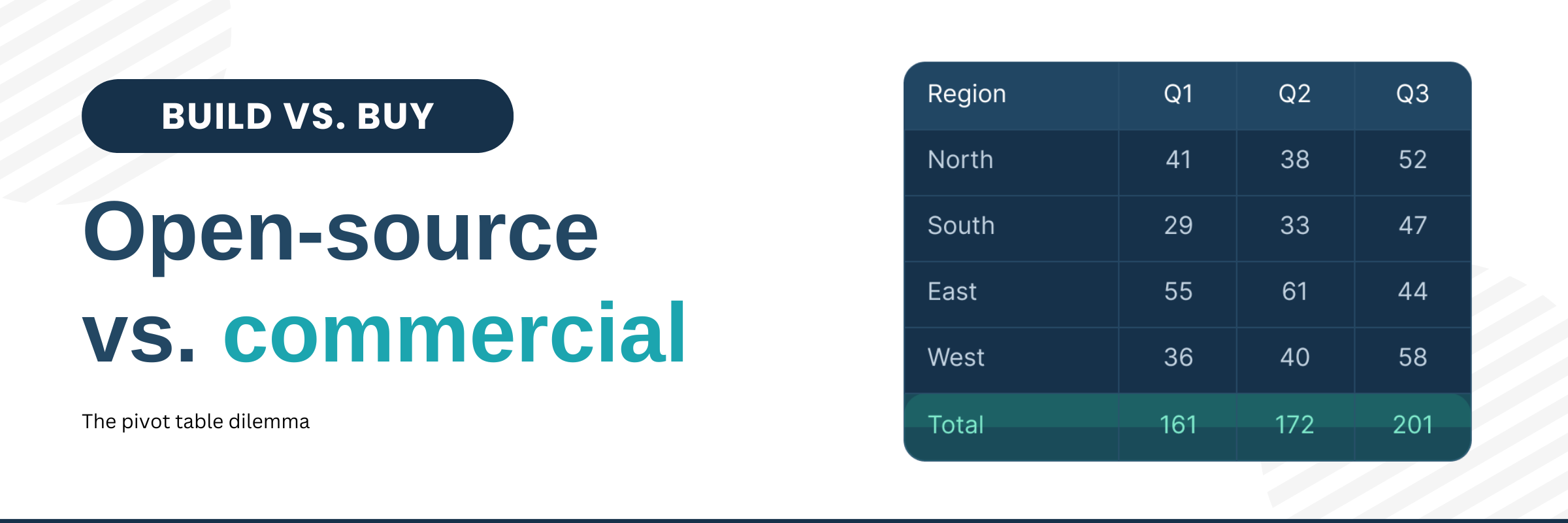
To keep this discussion grounded, we'll use the pivot table as our running example throughout this article. Since this is our field of expertise, we'll draw on our experience building Flexmonster Pivot Table & Charts to illustrate the hidden complexities of the build-versus-buy decision.
This discussion can easily get hotter than the eternal "which framework is better" debate. So let's walk through these points and see what actually makes sense - and in which situations.
So let's go.
Myth #1: Open-source saves money
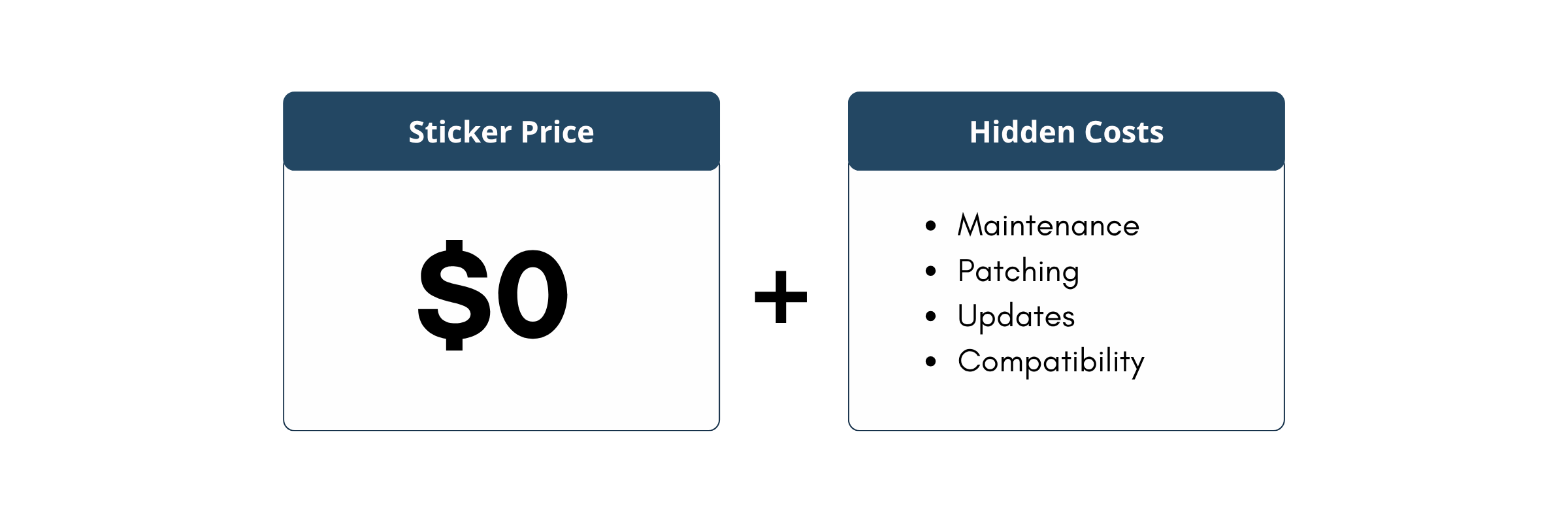
The first thing people assume is that open source saves money because it's free. And yes, it may seem that way at first, but let's take a closer look. Is it free to integrate? Free to maintain? Free to keep compatible with your stack, your data sources, and your security requirements? For a small project, the answer might genuinely be yes. But for a big business project or one that handles a lot of data, it's not free at all.
The sticker price of open-source software is $0, but the operational cost is paid in developer hours. Let's take, for example pivot table library. Using an open-source pivot table means your developers become the maintainers, troubleshooters, patch writers, and compatibility keepers. Time spent maintaining a non-core component is time taken away from building unique product features that differentiate your application. As discussed in this comparison of Flexmonster vs. free pivot table libraries, the 'free' label often hides the real long-term costs of internal maintenance and support.
Let's see some data to support the claims.
The "Zombie Code" issue: According to the 2024 Synopsys Open Source Security and Risk Analysis (OSSRA) report, 49% of open-source components in commercial codebases had no development activity in the past 24 months. For example, we can discuss the pivottable.js library. With over 4.4k stars on GitHub, it looks like a popular choice. But we can see that the core source code hasn't been updated since 2018.
If you are a startup validating an idea, a student, or building an MVP with zero revenue, open-source is the undeniable winner. It allows you to launch without touching your budget.
A commercial license buys you more than software - it buys you an engineering team that keeps the product updated and stable. You avoid the "maintenance tax", and your developers stay focused on building your product instead of supporting a library.
You can see the same developer's opinion in a Reddit discussion about Build vs. Buy:
"Almost always buy… A mistake I've seen a few times is underestimating the maintenance cost of build, blinded by the desire to build."
"it's a common mistake to badly underestimate just how much work goes into building a custom system for anything non-trivial. engineering hours are expensive in terms of real dollar cost and opportunity cost. buy is almost always the right starting point."
Myth #2: Commercial components limit customization
There is an assumption that commercial components are "black box", designed for a broad market, and that is why they offer a set range of features that restrict the degree of unique tailoring possible. Developers often worry that, because they can't see the code, it locks them into a fixed design and functionality, whereas open-source offers ultimate flexibility because the code is public.
But let's take a closer look. While open-source lets you technically modify the source code, this often leads to "forking," which isolates your project from upstream updates.
A commercial product like Flexmonster takes a different approach, proving that you don't need access to the source code to achieve total control. It aims to cover these complex scenarios out of the box, and it provides extensive, tested, and backward-compatible APIs that allow deep customization, from visual themes and complex data handling to custom functions - all without altering the core library. You get the flexibility you need while still being able to update the component.
Of course, open-source remains a great choice for research projects or early-stage products where you want to experiment freely and fast iteration is more important than long-term maintenance. But for a stable, production-ready solution, you shouldn't have to reinvent the wheel.
A study by Stripe (The Developer Coefficient) found that developers already spend nearly 42% of their work week on maintenance and bad code. Forking a complex open-source library adds to this technical debt, forcing your team to manually merge updates for a long time.
Myth #3: Open-source is always more modern and flexible
We often think that because open-source is community-driven, it's always on the cutting edge. But modern web development is increasingly converging on typed languages to manage complexity and leverage AI tools, and many open-source projects are lagging behind.
The TypeScript & AI Factor: The latest GitHub Octoverse report confirms that TypeScript is now the #1 language, driven by a massive move toward code stability. Why does this matter? A 2025 academic study noted that 94% of LLM-generated compilation errors were type-check failures.
If you want to use AI effectively in your development workflow or ensure long-term stability in a large application, you need components built with strict type-safety. Commercial pivot tables are typically engineered from the ground up with TypeScript in mind, offering predictable behavior and the ability to handle millions of data points without surprises—something older open-source libraries often struggle with.
Many open-source alternatives were created years ago for much simpler use cases and simply haven't evolved to meet today's requirements around performance, type safety, and scale.
Commercial solutions provide immediate, tested value. You just need to embed it into your app, and it's ready to work with seamless integration to diverse data sources (OLAP, MongoDB, Elasticsearch) that open-source often struggles with.
Myth #4: Community-driven development is always faster and better
Community involvement is one of the biggest strengths of open source, but it's important to understand that not every open-source project actually has a strong community behind it. Not all libraries grow into the next React or Linux. In reality, there's a big difference between infrastructure-level open source—supported by huge communities and major tech companies—and niche open-source tools like reporting libraries or specialized UI components.
Infrastructure projects attract thousands of contributors and offer stable, long-term investment. Niche libraries often depend on just one or two maintainers. And if those maintainers get busy, change jobs, or step away, your critical issue can remain unresolved for months.
Sonatype found that, despite over 7 million open-source components, only 10.5% are actively used.
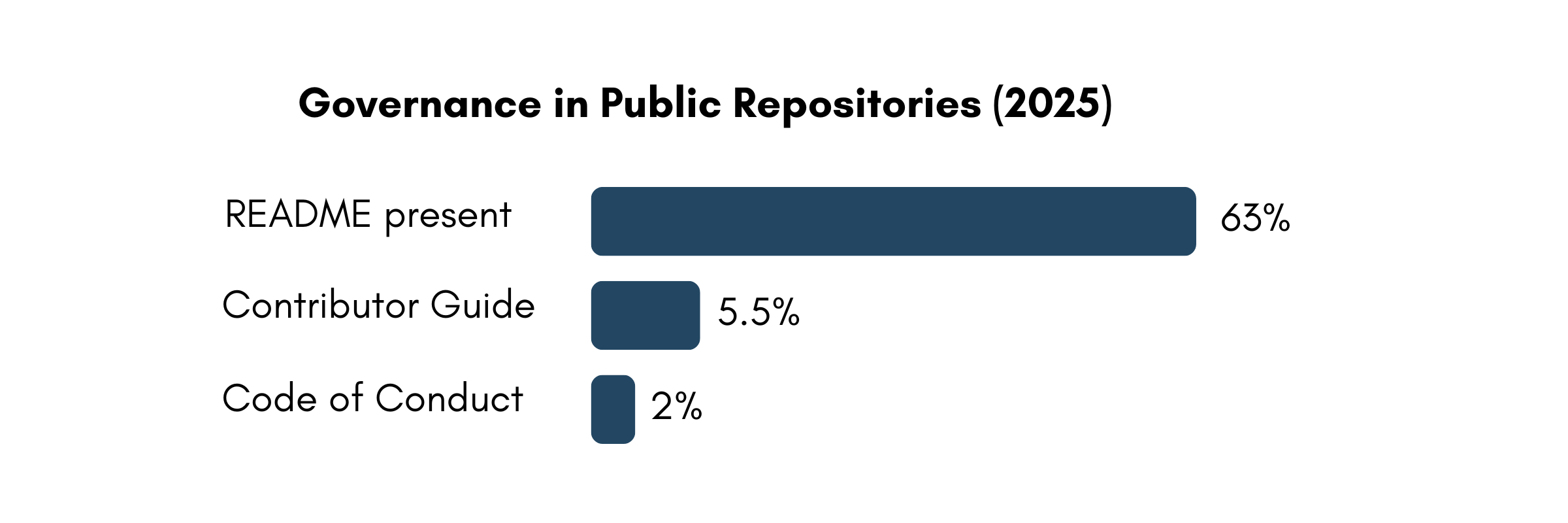
GitHub's Octoverse report highlights the same challenge from a different angle: governance simply doesn't keep pace with the volume of open-source projects. Only 63% of public repos even have a README, 5.5% provide contributor guides, and just 2% ship with a Code of Conduct. This is fine for experiments, but risky when you're trying to build a long-lived business feature on top of a small, niche library.
A commercial product operates on a predictable roadmap. Updates are released in sync with major framework versions - React, Angular, Vue, and security patches arrive quickly and reliably.
Open source does offer full transparency: you can see every issue and discussion on GitHub. You know exactly what bugs exist and can collaborate with other users to find workarounds.
Commercial solutions prioritize stability. You get a fully tested, production-ready component that saves your team time and reduces maintenance overhead, so your team can focus on building your product rather than maintaining its dependencies.
Conclusion
So, where does that leave us?
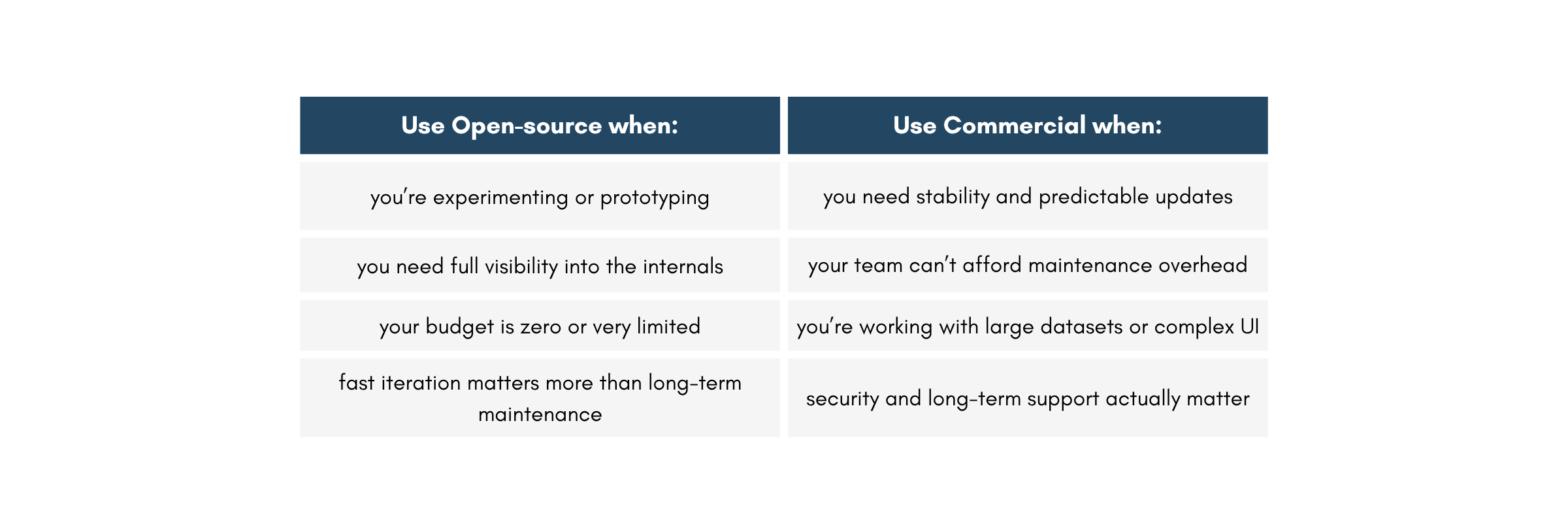
Honestly, there is no magic "right" answer. Open-source and commercial solutions both bring real advantages, just in different ways. It's about choosing a strategy that matches your product, your team, and your long-term plans.
As we discussed, open source is amazing for the infrastructure layer—it's the foundation of the modern web, and we all rely on it. But when it comes to specialized, high-maintenance UI components that need to handle massive data, the "free" price tag often masks a high cost in developer time.
- When Open Source Wins: For operating systems and rapid prototyping, open source provides transparency.
- When Commercial Wins: For specialized, high-maintenance UI components like Pivot Tables, the lack of a dedicated roadmap in open source turns "free" into a liability.